
Security Camera Installation — Wired and PoE Home Cameras
You picked the camera system; you need it on the house with the cable hidden, the cameras aimed at what matters and every mount sealed against Minnesota weather.
JMB Builders does security camera installation for the consumer systems homeowners buy — Reolink, Arlo, Ring, Nest, Eufy, Wyze and similar — across the Twin Cities metro. We mount each camera where it sees the door, driveway or yard it is meant to watch, run PoE or power cable through the attic, soffit and walls, and land it at the recorder or a plug. Priced per camera, quoted from photos of the house within one business day.
- Priced per camera, cable runs included
- PoE, wired and battery consumer systems
- Wi-Fi and app setup stays with you
- Licensed MN contractor BC809005
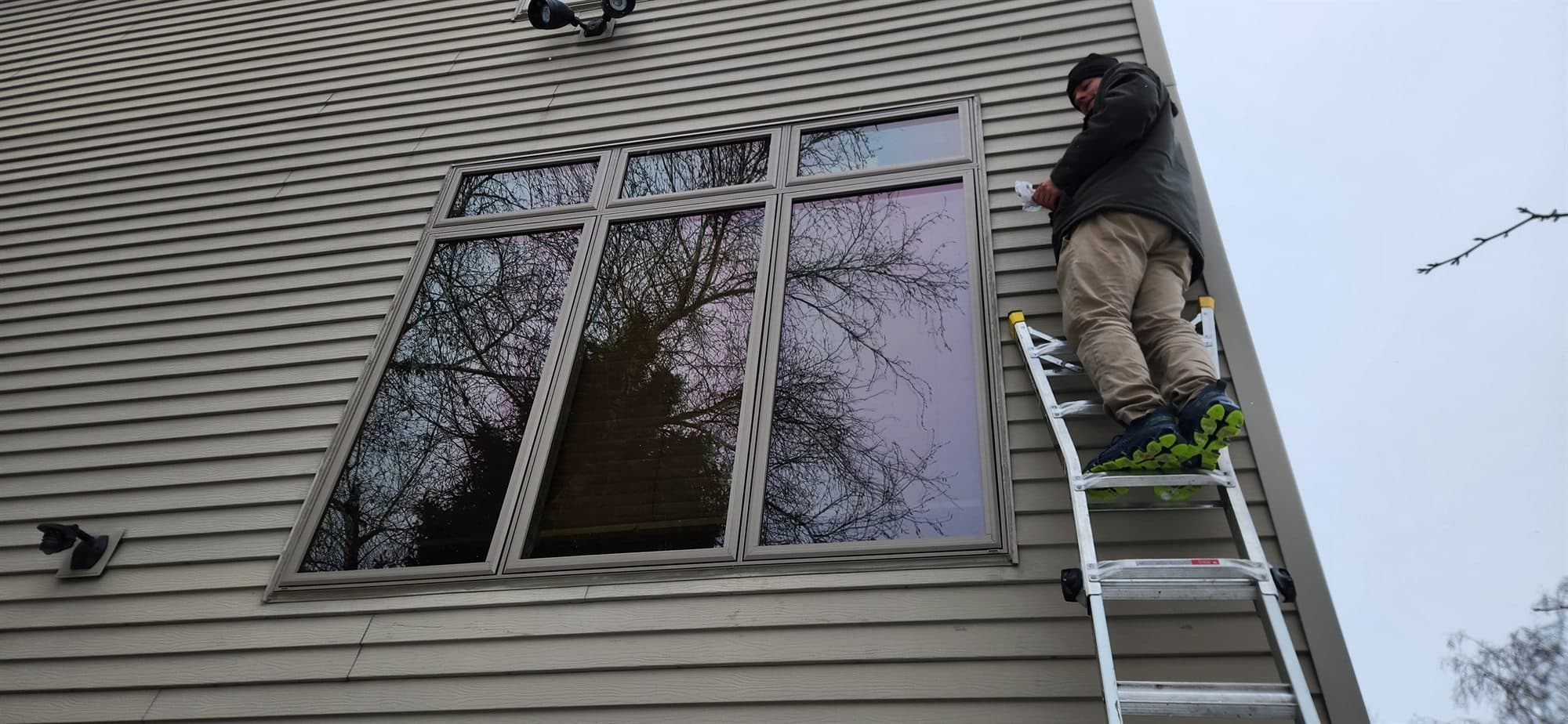
A camera system is only as good as where the cameras are and how the cable got there. A camera mounted too high sees the tops of heads. One mounted on a sunny wall facing east is washed out every morning. Cable stapled down the siding looks bad and gets cut. We start with a walk around the house and place each camera for the shot it is supposed to get: faces at the doors, plates in the driveway, the whole side yard from one corner.
PoE cameras get one ethernet cable each from a PoE switch or NVR, usually run through the attic and out the soffit to each mount. Wired Wi-Fi cameras get a power cable the same way. Battery cameras need no cable but need a mount that can be reached to charge them. We run the cable inside the house where we can and in a sealed conduit or raceway where we cannot.
We install the systems you buy from the store or online. Monitored alarm panels that require a licensed alarm company are referred out. Once the cameras are mounted and cabled, connecting them to your Wi-Fi and phone app is yours to do — the apps walk you through it and we leave every camera powered and labeled.
What you supply
- The cameras, NVR or hub, PoE switch and power supplies — or send us the model and we tell you what else to order
- Photos of each side of the house from the yard and one of where the recorder or hub will live
- What each camera should see: front door, driveway, back yard, garage side
- Your Wi-Fi network and phone for the app setup after we leave
What JMB supplies
- A camera placement walk-through with you before anything is drilled
- Mounting each camera to siding, soffit, brick, stucco or a post, with a sealed base
- Ethernet or power cable run through the attic, soffit and walls, in conduit where exposed
- Junction boxes at each camera for the cable connection and weather seal
- Cable landed at the NVR, PoE switch or plug, labeled by camera location
- Wall plate and a tidy cable bundle where the recorder sits
- Aiming and a quick view check on the recorder screen before we leave
How it is priced: per unit
Quoted in writing from your photos within one business day. What moves the number:
- Number of cameras and how far each cable runs from the recorder
- PoE or wired camera with a cable run vs. a battery camera with a mount only
- Attic access to the soffits vs. a finished ceiling or a vaulted roof with no attic
- Mounting surface: siding, soffit, brick, stucco or stone
- Detached garage or shop cameras that need cable buried or a wireless bridge
- Whether a PoE switch, junction boxes and cable are yours or ours
Send a photo of each side of the house and the camera kit's model number. That tells us the cable type and the mounts, and the quote covers all of it.
How long it takes
Four PoE cameras on a house with attic access: one day. Add a half day for a detached garage or cameras on a vaulted roof with no attic.
How your project works
- 1
Send photos, get a written quote
Send three photos of the space and a sentence about what you want. You get a clear, itemized quote within one business day. We only come out to measure first when the job needs a tape measure — no pressure, no games.
- 2
Pick materials, or bring your own
We help you choose profiles and materials that fit the house and the budget, or match your existing millwork exactly — or you buy the door or trim yourself and we install it. Everything is confirmed before the crew is scheduled.
- 3
Clean, precise installation
The crew shows up on time, protects floors and furniture, and installs with tight joints and consistent reveals. Photos of the finished work go in your job folder.
- 4
Walkthrough and invoice
We walk the finished work with you. If anything is not right, we fix it before we call the job done. Then one invoice, paid by check or direct deposit — no card fees, no payment links.
Situations and options
PoE camera system with NVR
One ethernet cable per camera from a recorder in a closet or the basement. Reolink, Amcrest, Lorex and similar kits. Records locally, no subscription, the cleanest install when there is attic access.
Wired Wi-Fi cameras
Ring, Nest, Eufy or Wyze cameras that plug into power but talk over Wi-Fi. We run the power cable through the soffit or wall to a plug inside, so no cord hangs down the siding.
Battery cameras
Arlo, Eufy or Ring battery cameras on a mount only. Fast to install, no cable. We place them where you can reach them with a step ladder to swap batteries, not at the peak of the gable.
Detached garage or shop cameras
Cameras on an outbuilding with cable run back to the house in buried conduit, or a point-to-point wireless bridge when trenching is not practical. The cable and trench go on the quote.
Security Camera Installation — Wired and PoE Home Cameras: questions, answered
Do you install security cameras that I bought myself?
Yes. That is the whole service. Buy the kit that fits your budget — Reolink, Arlo, Ring, Nest, Eufy, Wyze, Lorex, Amcrest — and we mount the cameras, run the cable and land it at the recorder or a plug. If you send us the model before you buy, we tell you whether you need a PoE switch, extra cable or a different mount for your siding.
Where should home security cameras be installed?
At the front door low enough to see a face, over the garage aimed down the driveway to catch a plate, at the back door, and at whichever side of the house you cannot see from a window. Above head height but below the eave so they are hard to reach and not looking at the tops of heads. Away from a direct east or west sun angle when you can. We walk it with you before drilling.
Wired or wireless security cameras — which should I get?
Wired PoE if you have attic access and want recording with no subscription. One cable does power and video, nothing to charge, and the recorder is in your house. Wireless battery cameras if there is no way to run cable or you want them up today; the trade is charging batteries and usually a monthly plan for cloud storage. Wired Wi-Fi cameras sit in between: a power cable but no recorder.
How do you run the cable for outdoor cameras?
Through the attic and out the soffit is the usual route: a hole in the soffit at each camera, the cable up into the attic and across to the room the recorder is in. On a wall with no attic above it we fish inside the wall or run a sealed conduit along the exterior. Every hole through the house gets a sealed junction box or grommet. We do not staple cable down the siding.
Do you set up the camera app and Wi-Fi?
No. We leave every camera mounted, powered and labeled, and confirm each one shows a picture on the recorder or on a test. Adding the cameras to your Wi-Fi network and phone app is yours; the manufacturer's app walks through it in a few minutes per camera. If a camera you connected has no picture, it is almost always the app step and we tell you what to check.
Can you install a monitored alarm system with the cameras?
Cameras, video doorbells and self-monitored sensor kits like SimpliSafe, Ring Alarm or Abode, yes. A professionally monitored alarm panel that has to be installed and serviced by a licensed alarm company is not something we do; we refer that out and can still mount and cable the cameras alongside it.
Get a written quote for this job
Three photos and a sentence is enough. You hear back within one business day. Or text the photos to 763-204-2099.
Related jobs we do
Outdoor Camera Mounting and Wiring Through the Soffit
You have the cameras and you know where they should go; what you need is the cable run through the soffit and into the house without a wire dangling down the siding — that is the job on this page.
Read moreVideo Doorbell Installation — Ring, Nest and Wired Doorbell Cameras
The doorbell camera is in the box, the old bell button has two thin wires behind it and you are not sure the transformer is big enough — we wire it, mount it and leave it powered.
Read moreAlarm Sensor Installation — Door, Window Sensors, Keypad and Base
The kit came with a bag of sensors and double-sided tape; half of them will fall off a cold window by January — we mount them properly and put the keypad and base where they work.
Read moreDeadbolt Installation and Smart Lock Install on Any Door
A back door with only a knob lock, a front door that needs a keypad, or a smart lock that came with the house and never fit the door right. We bore, mortise, and reinforce the strike.
Read moreDoorbell Chime Not Working With Ring — Chime Fix and Replacement
The Ring or Nest doorbell works on the phone but the chime in the hall went silent, or hums, the day it was installed — a chime kit, a chime swap or a plug-in chime puts the sound back.
Read moreDriveway Alarm Installation — Motion Sensors and Buried Probes
A long driveway, a shop out back or a house you cannot see the road from — a sensor at the driveway that chimes inside before the car reaches the door, set so the deer and the mail truck do not trip it.
Read morePage reviewed September 24, 2026 · JMB Builders LLC, MN license BC809005 · All cameras pages
Where we work
Cameras near you
Based in Zimmerman, scheduling across the Twin Cities metro. Closest first: